How to Check Zong Balance in Pakistan – Complete Guide for All Users
|
Getting your Trinity Audio player ready...
|
Managing your mobile balance is very important, especially when you rely on your phone for calls, internet, WhatsApp, online work, or business communication. Zong is one of the most popular telecom networks in Pakistan, offering affordable call packages, internet bundles, and reliable coverage across the country. However, many users still get confused about the correct and updated ways to check Zong balance.
This detailed guide will explain how to check Zong balance in Pakistan using all available methods. Whether you are using a smartphone or a simple keypad phone, this article will help you understand each option clearly. The language is kept simple so everyone can follow easily, even if you are not very tech-savvy.
Why Checking Zong Balance Regularly Is Important
Before learning the methods, it is important to understand why balance checking matters.
Many users suddenly lose balance without realizing it. This usually happens because background internet usage, auto-renewal of packages, or service charges silently deduct balance. If you regularly check Zong balance, you can control your expenses better and avoid unexpected deductions.
Checking balance also helps you decide when to recharge, which package to subscribe to, and whether your current package is enough for your daily needs.
Basic Things You Need Before You Check Zong Balance
To check your Zong balance, you only need a few basic things.
First, your Zong SIM must be active. Second, your phone should have network signals. You do not need the internet for most balance checking methods. Some options are completely free, while others may deduct a small service fee.
Now let us explain each method in detail.
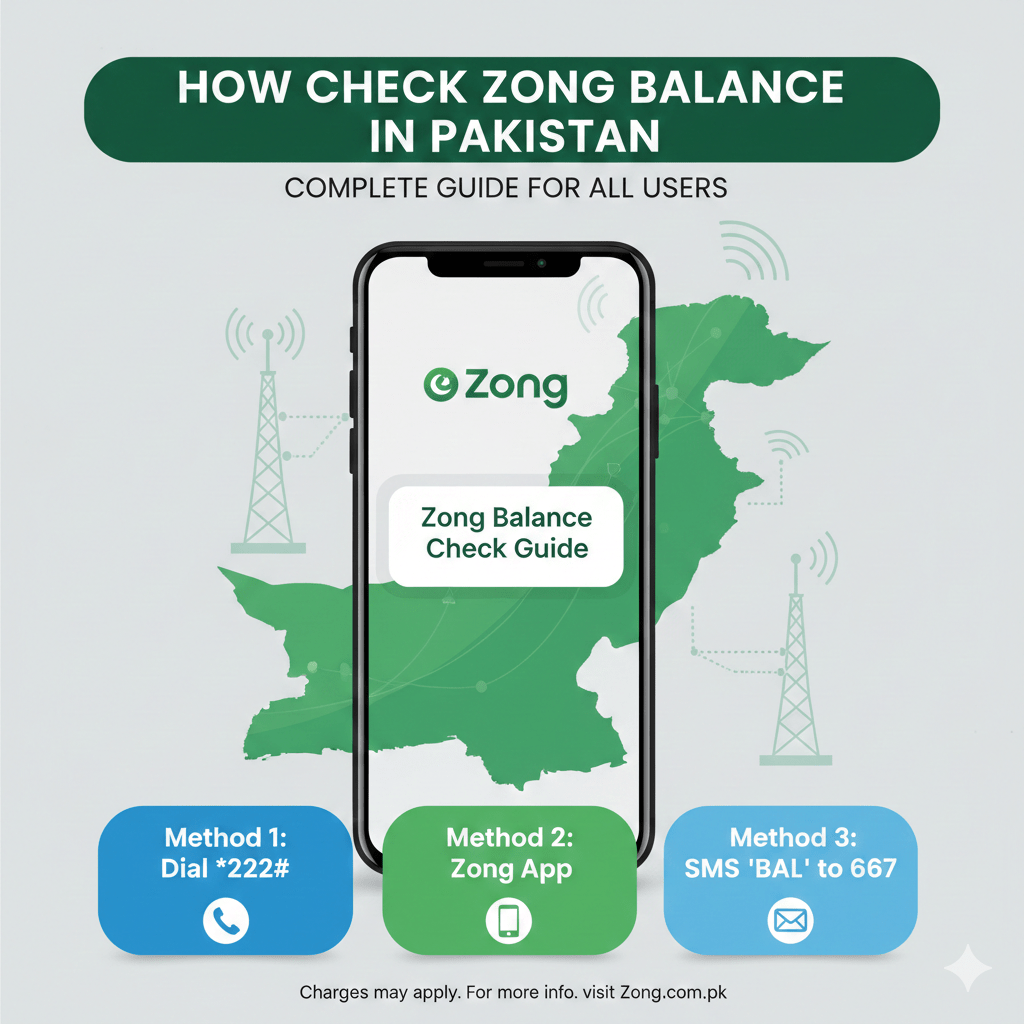
Method 1: Check Zong Balance Using USSD Code
This is the most common and easiest method used by millions of Zong users in Pakistan.
To check Zong balance using USSD code, follow these steps carefully.
Open the dial pad on your mobile phone
Dial *222#
Press the call button
Wait for a few seconds
Your remaining balance will appear on the screen.
This method works on all mobile phones, including old keypad phones and smartphones. However, Zong may charge a small fee for this service, which is usually very minimal.
Roman Urdu tip: Agar aap simple mobile use kartay hain, to *222# sab se easy tareeqa hai balance check karne ka.
Method 2: Check Zong Balance via Zong Official App
If you are using a smartphone and prefer a modern solution, the Zong app is a very useful option.
The Zong app allows you to check balance, internet usage, remaining minutes, and even subscribe to new packages.
To check Zong balance using the app, follow these steps.
Download the Zong app from Google Play Store or Apple App Store
Open the app and sign in using your Zong number
Verify your number through OTP
Once logged in, your balance will be visible on the home screen
This method is completely free and gives you full control over your SIM. You can also track data usage in real time, which is very helpful for internet users.
For more telecom and technology guides, you can explore https://skipper.pk/tech-telecom/ where similar useful information is shared for Pakistani users.
Method 3: Check Zong Balance by Calling Zong Helpline
Another way to check Zong balance is by calling the Zong customer care helpline.
Dial 310 from your Zong number
Follow the voice instructions
Choose the option for balance inquiry
This method is helpful if you are already calling customer support for another issue. However, it may take some time because you have to listen to voice prompts.
Method 4: Check Zong Balance Using SMS Method
Some users prefer SMS-based services. Although Zong does not widely promote SMS balance checking anymore, in certain cases, balance details are sent through service messages after recharge or package expiry.
If you want more control, it is better to use USSD or the Zong app.
Method 5: Check Zong Balance Through Zong Website
Zong also provides online account access through its official website.
You can visit Zong’s website, log in with your number, and check balance details. However, this method requires internet and account registration, so it is not the most popular choice among regular users.
How to Check Zong Balance Without Any Charges
Many users ask whether it is possible to check Zong balance for free.
The best free option is the Zong app. It does not deduct any balance and provides detailed usage information.
Sometimes Zong also offers free balance check promotions, but these are temporary.
Common Problems While Checking Zong Balance and Their Solutions
Sometimes users face issues while trying to check Zong balance. Let us discuss some common problems and how to solve them.
If the USSD code does not work, check your network signals or restart your phone.
If balance does not show in the app, log out and log in again.
If your SIM is inactive, recharge first to activate services.
If the problem continues, contacting Zong customer support is the best solution.
How Zong Balance Deduction Works
Understanding how balance is deducted helps you manage your usage better.
Balance is usually deducted for calls made outside packages, SMS sent without a bundle, background internet usage, and subscription of value-added services.
Always check package details before subscribing. For updated package information, you can visit https://skipper.pk/packages/ where telecom packages are explained in simple words.
Tips to Save Your Zong Balance
Here are some practical tips to help you save balance.
Turn off mobile data when not in use
Subscribe to relevant call or internet packages
Avoid unnecessary value-added services
Check balance regularly
These small habits can save a lot of money in the long run.
How to Check Zong Balance for Prepaid vs Postpaid Users
Most Zong users in Pakistan use prepaid SIMs, but postpaid users also need balance or bill checking.
For prepaid users, all the methods mentioned above work perfectly.
For postpaid users, balance means outstanding bill amount. Postpaid users should use the Zong app or customer care services for accurate billing details.
Is It Safe to Use Third-Party Apps to Check Zong Balance?
Many third-party apps claim to offer balance checking services, but they are not recommended.
These apps may ask for unnecessary permissions and compromise your privacy. Always use official Zong services only.
For safe digital and business practices in Pakistan, you can also explore https://skipper.pk/business/ for reliable information.
Frequently Asked Questions About Check Zong Balance
Many users have similar questions regarding balance checking. Let us answer a few important ones.
Can I check Zong balance without the internet?
Yes, USSD code *222# works without the internet.
Is balance checking free?
Some methods may charge a small fee, but the Zong app is free.
Can I check the balance on another Zong number?
No, balance can only be checked from the same SIM.
Final Thoughts
Knowing how to check Zong balance in Pakistan is essential for every mobile user. Whether you prefer USSD codes, mobile apps, or customer support, Zong provides multiple convenient options.
The easiest method for basic users is dialing *222#, while smartphone users should definitely use the Zong app for complete control. Regular balance checking helps you avoid unexpected deductions and manage your mobile expenses efficiently.
If you want more helpful guides related to telecom, technology, and daily digital solutions in Pakistan, visit https://skipper.pk/ for trusted and easy to understand content.
Staying informed saves money, time, and frustration. Make balance checking a regular habit and enjoy uninterrupted Zong services.
About The Author