International Roaming Issues on Your Phone
|
Getting your Trinity Audio player ready...
|
Traveling abroad is exciting, but mobile problems during travel can create stress, especially when you rely on your phone for calls, messages, maps, and online payments. International roaming is supposed to make communication easy, yet many users face issues such as no signal, blocked services, slow data, or unexpected charges. Understanding the causes and solutions can help you fix roaming problems quickly and avoid disruptions during your trip.
Why International Roaming Issues Happen
Roaming problems usually occur because your phone is trying to connect to a foreign network it does not recognize or support. In some cases, your home network provider in Pakistan may not have a roaming partnership with the network in your visited country. Other times, incorrect phone settings or inactive roaming services can block connectivity completely.
Network congestion in busy airports, thick building structures, or local SIM restrictions can also weaken your signal. Knowing these reasons helps you troubleshoot effectively and stay connected wherever you go.
Check if International Roaming Is Activated
The most common reason for roaming failure is that the service is not activated on your number. Before traveling, you should always confirm activation because most networks in Pakistan require manual enabling of roaming services.
Contact your operator’s helpline or use their official USSD code or app to enable roaming. If roaming is active but still not working, the issue may be with your device settings or the foreign network.
Make Sure Your Phone Supports the Required Network Bands
Different countries use different network bands and technologies such as 3G, 4G, LTE, and now 5G. If your phone does not support those specific bands, it may fail to connect.
Older phones may not support modern LTE bands used in the Middle East, Europe, or North America. Checking phone compatibility before travel ensures that your device can work smoothly on foreign networks.
Select the Network Manually If Automatic Mode Fails
When roaming, your phone often tries to connect automatically. If the signal is weak or the selected tower is congested, calls and data may fail. Manually choosing the best available network can solve this.
In many countries, several networks are available, and one may offer stronger coverage for foreign users. Manual selection allows you to connect to a more reliable option instantly.
Check Data Roaming and Network Mode in Settings
International roaming requires two important settings: the right network mode and data roaming enabled. If either is disabled, your phone may register on the network but still not allow internet use.
Many users accidentally turn off data roaming to avoid charges, but forget to enable it again. Making sure these settings are correct ensures smooth internet access abroad.
Restart Your Device After Landing
Roaming activation sometimes needs a fresh network search, which happens when the phone restarts. Turning your phone off and on again forces it to scan for available foreign networks and reconnect properly.
This simple step often solves the issue without changing any settings or contacting support.
Check SIM Card Position and Condition
If your SIM card is loose, scratched, or outdated, it may not register on international networks. Some old SIMs do not support LTE roaming at all. Replacing your SIM before travel ensures better performance and fewer connectivity issues.
Ensure You Have Enough Balance or an Active Roaming Bundle
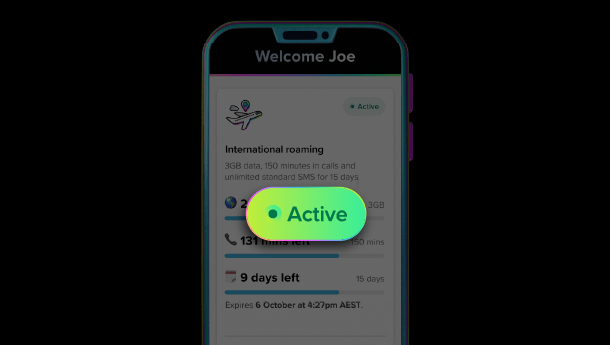
International roaming can be expensive, and if your balance finishes, your operator may block calls, SMS, or data. Pre-activated roaming bundles help control costs and guarantee service availability throughout your trip.
Many Pakistani networks offer special daily and weekly roaming packages for the UAE, Saudi Arabia, Turkey, the UK, and other countries, making connectivity stable and affordable.
Check for Network Restrictions in the Country You Are Visiting
Some regions have strict regulations, and foreign SIMs may have limited access. For example, certain countries restrict VoIP apps or may block some services temporarily. In such cases, using Wi-Fi calling or a local SIM card can provide better connectivity.
Try Switching Between 3G, 4G, and 5G
Not all foreign networks support 5G roaming for Pakistani SIMs. If your phone is stuck in 5G mode, it may show signal but fail to load data. Changing to LTE/4G or even 3G can stabilize the connection and allow calls and internet to work normally.
Use Airplane Mode Reset to Refresh Connection
Turning Airplane Mode on for 10 seconds and then off forces the device to disconnect from the old tower and search for a new one. This often refreshes the roaming connection and fixes temporary network drops.
Contact Customer Support If Nothing Works
If you have tried all steps and still face issues, your operator may need to refresh your roaming profile from their end. Customer support can re-sync your SIM with international partner networks, which usually resolves the issue quickly.
In rare cases, roaming may be blocked due to security reasons, unpaid bills, or outdated packages. Support teams can guide you better based on your number’s status.
Consider Using a Local SIM for Better Performance
In some countries, local networks offer faster and cheaper connectivity compared to roaming. Buying a local prepaid SIM or an international eSIM is a practical option for long stays or heavy data users.
This ensures strong signals, smooth data usage, and full access to local services without extra charges.
Final Thoughts
International roaming issues can be stressful, especially when you rely on your phone for navigation, communication, and online tasks. Most problems can be fixed by checking device settings, selecting the right network, enabling data roaming, or ensuring your phone supports the required bands. Restarting the phone, updating your SIM, or activating a roaming bundle can also make a big difference.
By following these solutions, you can enjoy smooth and reliable mobile service throughout your travels, keeping you connected wherever you go.
About The Author